macOS 14 · Apple Silicon · in the menu bar
Your whole Mac, two keys away.
LeaderKey is a leader key for macOS. Press one chord, type a short sequence, and something happens — an app comes forward, a window moves, a command runs, a terminal opens on it. The list that appears while you type shows what is still reachable, so your bindings are learned rather than memorised.
- · no Enter
- · no mouse
- · no Dock tile
- · no account
- · never goes online
· Apple Silicon, macOS 14 or later. Signed with a Developer ID and notarized by Apple.
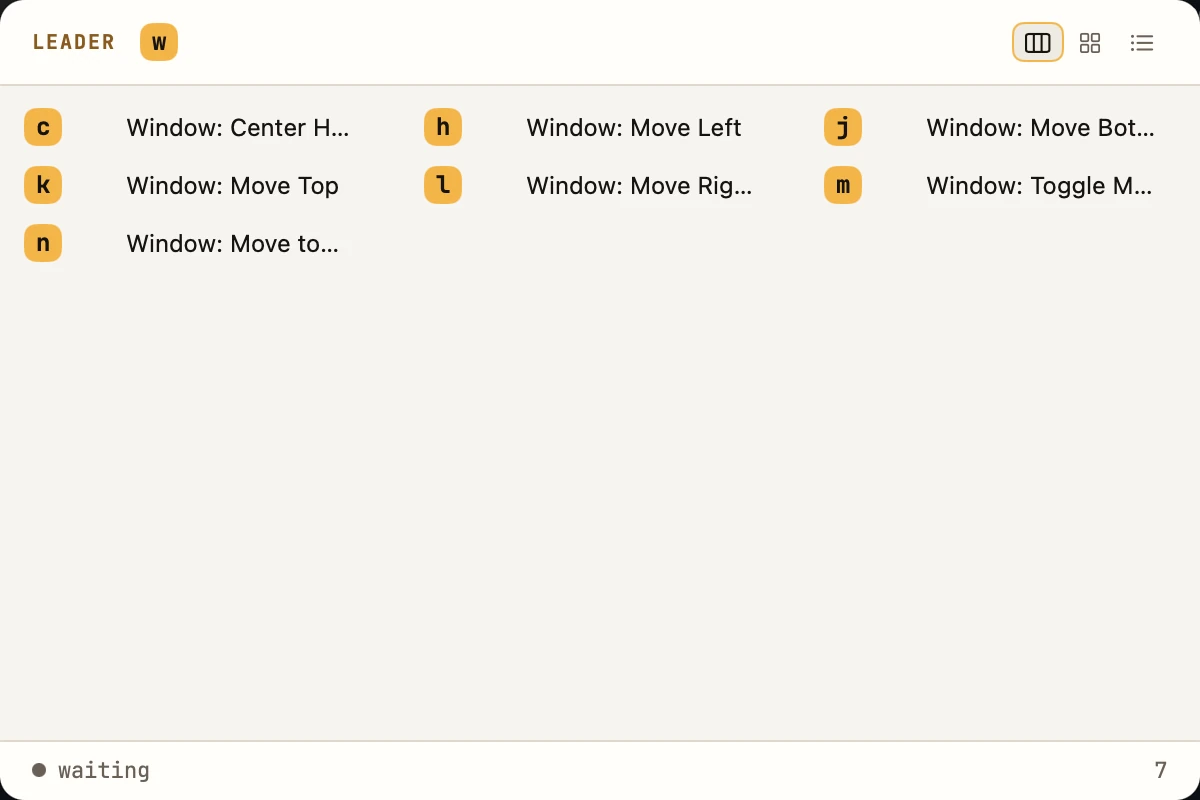
Or click the screen and type. ⌥ Space shows and hides it, ⌫ steps back, esc closes.
A working copy, not a recording.
The window above runs on this page. Its matcher is LeaderKey's own, ported line for line from the Rust core, over the seventeen sequences a fresh install starts with. Type wh twice and the window walks from half the screen to two thirds, the way it does on a Mac. Type wn and it fails the way the app fails on a Mac with one display — and says so, in the footer and in the log.
The desktop around it is drawn, and nothing you type leaves the page. There is no analytics script here, and there is none in the app: LeaderKey never goes online.
How it works
Learnable, not memorised.
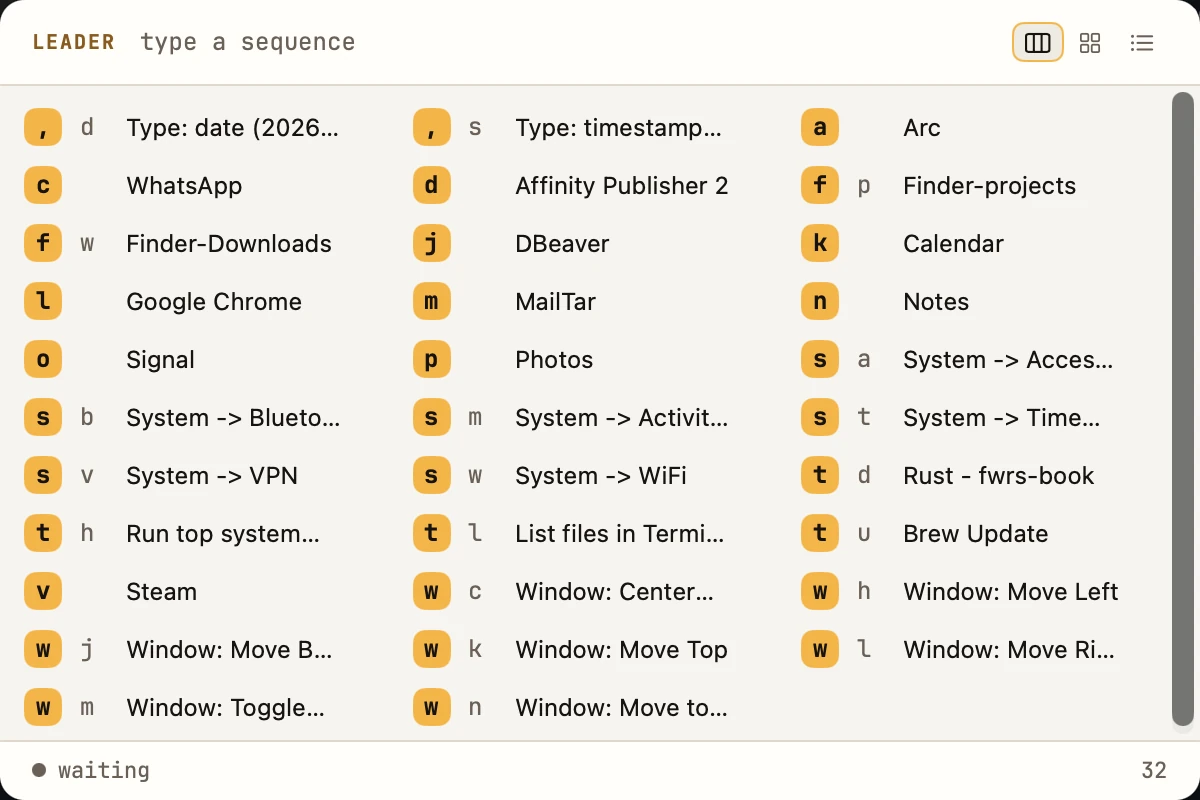
Vim and Emacs call it the leader key: one key that means “a command follows”. LeaderKey gives the whole Mac one, and brings which-key with it — the moment the window is up, it shows you everything that could come next, and narrows as you type.
Press the chord
⌥ Space by default — or any combination with ⌘, ⌥ or ⌃ in it. The window comes up listing everything bound, and LeaderKey notes which app was in front: that is the one a window binding will act on.
Type
The list narrows to what is still reachable, and each row shows only the keys you have left. Order matters, case matters, and a space is a key like any other. ⌫ steps back; esc closes and puts focus back where it was.
There is no Enter
A binding fires the moment its sequence is complete. The window hides first, so
the action lands on the app you were in. Type something nothing starts with and the
footer says unmatched, then clears itself.
The one rule
No sequence may be the start of another.
If wh exists, binding w is refused — and so is
the reverse. w would fire the moment it was typed and wh could
never be reached, and nothing at the moment you pressed the key would tell you so.
- Refused where it can be seen: when you save, with the binding in the way named. At run time it would only ever look like a key that does nothing.
- The defaults obey it too. A test in the core checks the shipped set — which is why TextEdit is
e: a binding ontwould shadowtlandth. - Duplicates are refused the same way, naming the binding that already holds the keys.
Typed in order. A space is a key like any other.
What a key can do
Five actions. Each one reports back.
A binding is keys, a name and one action. The same five sit behind a sequence
and a global key, and every one of them ends in a line in the log — ran, or
failed with the reason — written at the moment it happened.
Open or focus an app
A bundle id or the path to a .app — Choose… picks one. Or
Toggle recent apps, which swaps between the last two you used.
Move the window you were in
Left, right, top, bottom, centre, maximise, or the next display — acting on the app that was in front before LeaderKey took the keyboard.
Run a command
Through your login shell, so the PATH it sets up is there. Nothing opens: the output and the exit status go to the log.
dateRun it in your terminal
In the terminal you chose, and the shell stays open on the result — for anything you want to read, or keep working in.
ls -latopRun an AppleScript
Compiled and run as written. When it fails, the application that objected and what it said both reach the log, and the window's footer the next time it opens.
tell application "Music" to playpauseOr skip the window
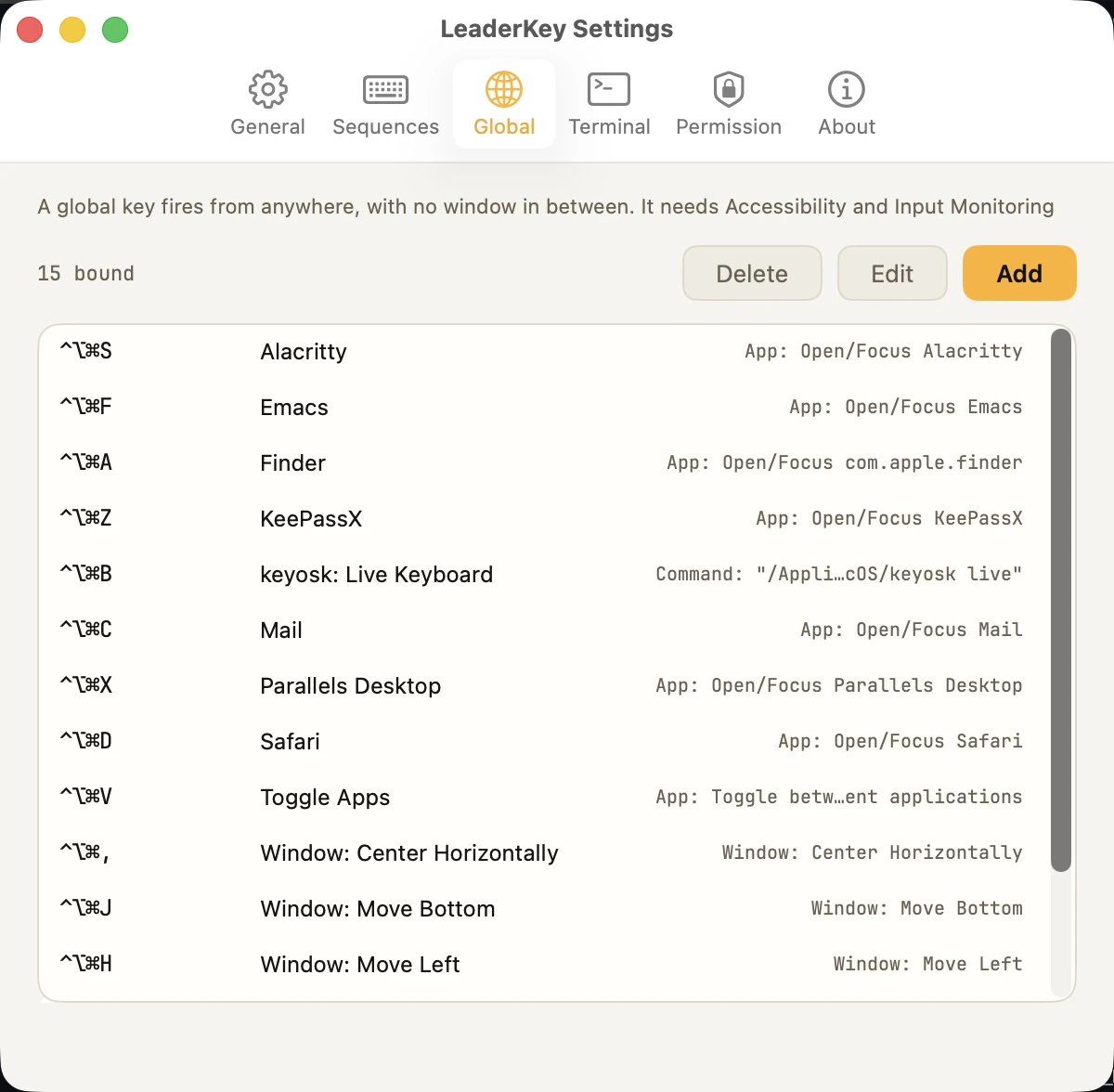
A global key is a chord that fires from anywhere — the same five actions, with no list in between. There are none by default, on purpose.
Press it again for another size.
Window bindings cycle. wh puts the window on the left half;
again, two thirds; again, one third; again, the full width — keeping the height it
already had. Change direction and the new one starts over. wc walks the
centre through ⅔, ½ and ⅓; wm fills the screen, and pressed again brings it
back to half the width, centred.
½wh
⅔wh again
⅓and again
fulland again
Global keys
A chord for the few you use most.
Some things deserve no window at all. A global key fires from anywhere, straight into one of the same five actions.
- None by default. A global key takes a chord away from every other application on the Mac, and that is not a choice to make on your behalf.
- Two cannot share a chord, and none may take the activation chord. Both are refused when you save — macOS itself would register the first and quietly decline the second.
- A chord another app already holds is said out loud. The Global pane lists it as
blocked, with the reason. The row itself would otherwise look perfectly normal. - Each includes
⌘,⌥or⌃, so no global key ever takes an ordinary keystroke.
Keyboard first
The keyboard, all the way through.
The window is keys by definition, and the rest follows: the settings panes, their sheets and the menu-bar panel each have their keys — the ones a Mac has already taught you.
In the window
In Settings
In the menu-bar panel
which-key: as many columns as fit, keys then name. The default.
A card per binding, with its action type.
One column, with what each binding actually runs.
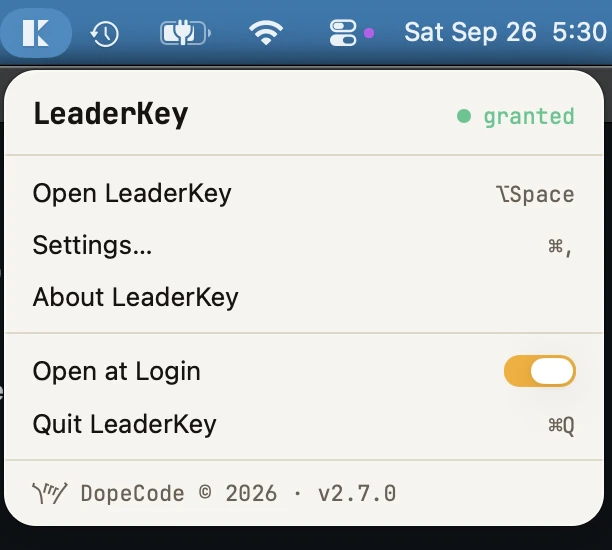
granted while both required permissions are on.Terminals
Your terminal, driven the way it likes.
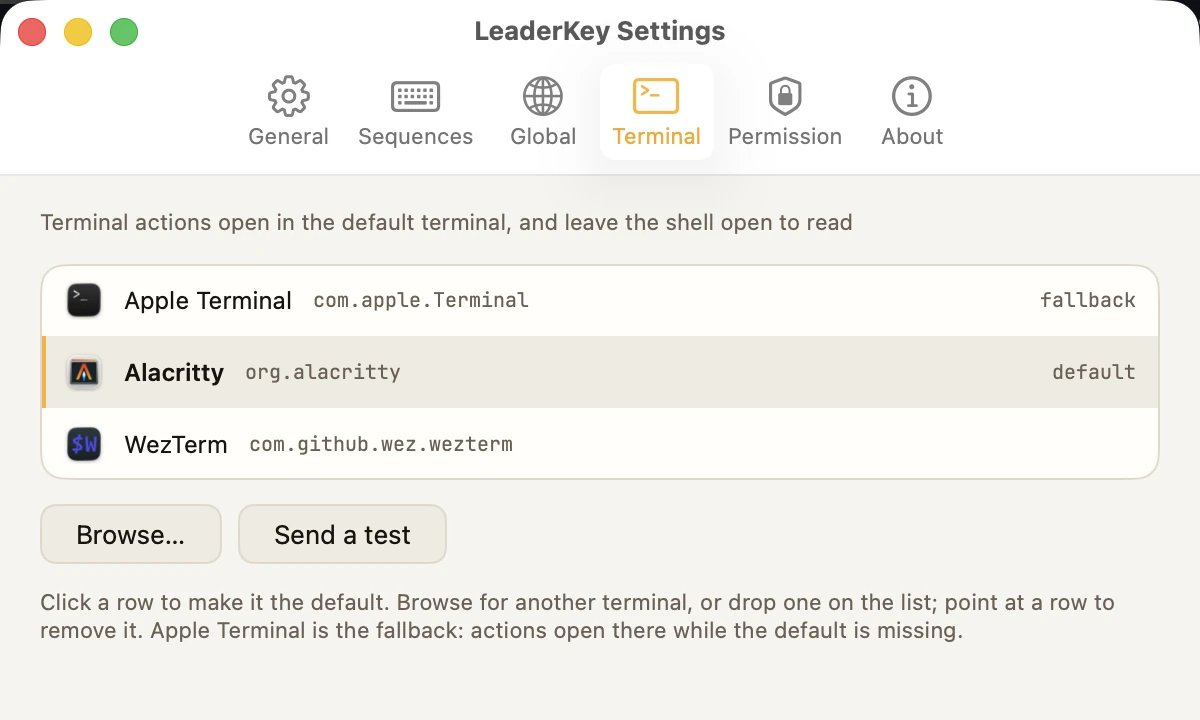
A terminal action opens in the default terminal you pick in Settings.
LeaderKey knows seven by name, and how each one wants to be handed a command; anything
else is started with -e, and Send a test shows whether it takes it.
do scriptAn idle tab if there is one, so commands do not pile up a new window each time.write textA new tab in the current window, or a new window if there is none.wezterm cli spawnA new tab beside the pane you are looking at; WezTerm itself if it is not running.alacritty msg create-window -eA new window in the Alacritty already running, or Alacritty itself if it is not.kitty --single-instanceA new window, in the one kitty process LeaderKey keeps for its actions.open -n --args -eA new window, started with the command.open -n --args -eThe same — -e is the flag most terminals accept, and Send a test shows whether this one does.- Default and fallback are two different words. The default is whichever you chose. Apple Terminal is the fallback: it ships with every Mac, so actions go there while the default is missing — and it is the one row that cannot be removed.
- The shell stays open on the result. Every terminal but the two AppleScript ones is started on
$SHELL -lc '…', which hands over to an interactive login shell, so the window does not close the instant the command exits. - Handed a command, never adopted. LeaderKey does not start your terminal as a child of itself, so the terminal's life is its own.
- Send a test runs a harmless
echothrough the same path a bound key takes — and gets macOS's Automation question out of the way before it can interrupt a sequence. - Browse, or drop any other application on the list to make it the default.
Configuration
One JSON file. Keep it with your dotfiles.
Everything LeaderKey knows is one document in Application Support — not
defaults, because this is a file people export, import, diff and keep in a
repository, and defaults is none of those things.
{
  "sequences": [
    {
      "keys": "wh",
      "description": "Window: Move Left",
      "action": { "kind": "window", "action": "moveLeft" }
    },
    {
      "keys": "tl",
      "description": "List files in the terminal",
      "action": { "kind": "terminalCommand", "command": "ls -la" }
    }
  ],
  "global_keys": [],
  "activation_hotkey": { "key_code": 49, "modifiers": 2048 },
  "view_type": "compact",
  "appearance": "system",
  "terminal": "com.apple.Terminal"
}id, so a row keeps its identity while its keys change.- Edit it by hand. LeaderKey watches the file and adopts a change as it lands; Reload in Settings is there for when you want to be sure.
- Saved whole, or not at all. Every save goes to a temporary file and is renamed over the old one, so an interrupted save cannot leave half a config behind.
- An unreadable file is never overwritten. Those are your bindings. It is moved aside as
config.broken-<timestamp>.json, LeaderKey starts from the defaults, and Settings says where the old one went. - Reveal, Reload, Export, Import. Import says what is in a file and asks before replacing anything.
- Two ways to start over. Delete all bindings empties both lists and keeps your preferences; Reset to defaults puts back the seventeen sequences it ships with.
- Light, dark, or the Mac's own. Settings ▸ General ▸ Theme: System follows the Mac as it changes; Dark and Light hold LeaderKey to one.
Permissions and privacy, itemised
What it asks for, and why.
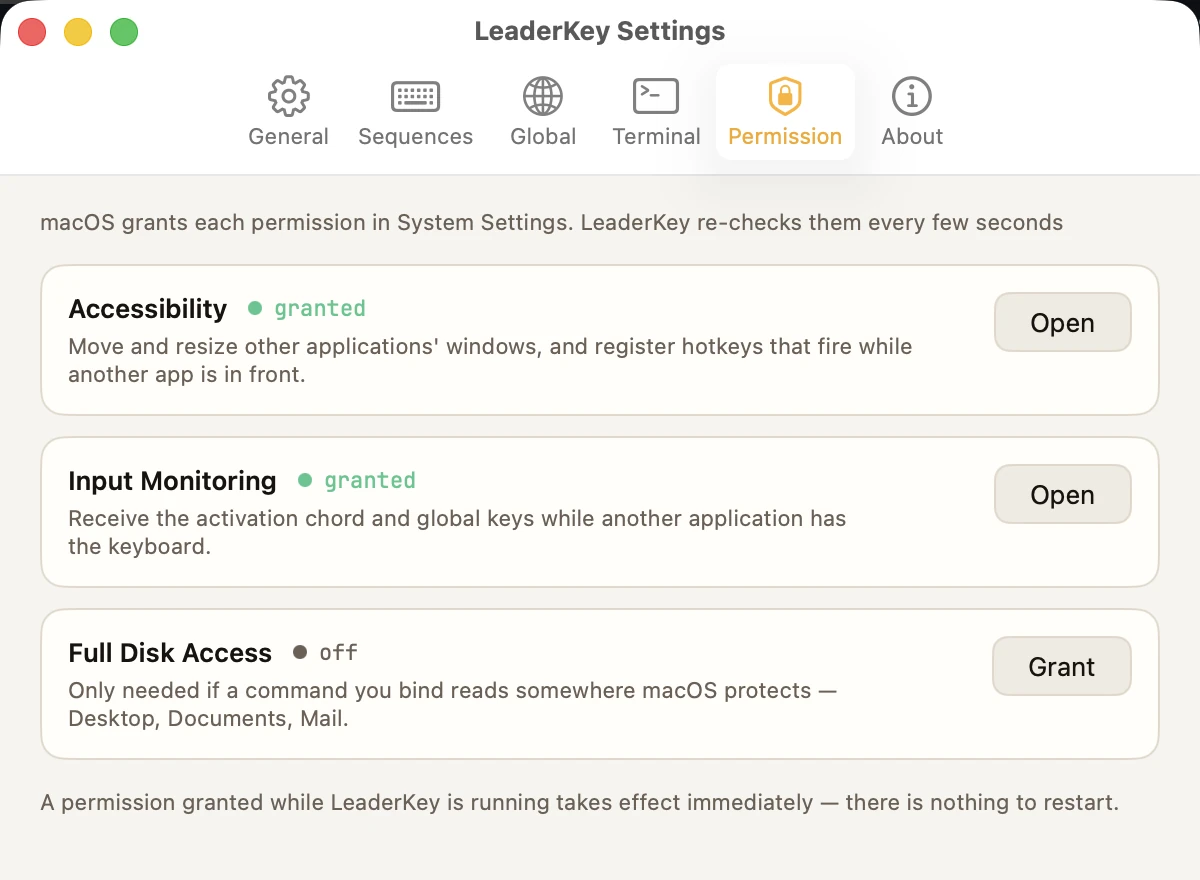
LeaderKey moves other applications' windows and fires keys while something else is in front, so macOS makes it ask. Here is each permission, what it is for, and what the app does with the rest of your Mac — which is nothing. The formal version is DopeCode's privacy policy.
off, never blocked:
nothing is failing, and nothing is waiting for it.~/Library/Logs/LeaderKey.log, and the unified log, so
Console.app works too — both on your Mac and nowhere else. It exists because LeaderKey fires
keys while it is invisible: when a binding does nothing, a line written at the moment it
happened is the evidence, in the same words the window uses.When the switch is on and it still says blocked.
macOS lists every copy of an app under one display name, so the row you switched on in System Settings may belong to another copy of LeaderKey — a download you forgot, a build in a folder. When something is blocked, the Permission pane names the copy that is asking and any other copy installed, and the log names both at launch. That line is the answer nearly every time.
The honest part
What it does not do.
Better you read this here than find it out after installing. LeaderKey is one idea done carefully, and the list of things it is not is short and deliberate.
Not in the app
- No Intel build. Apple Silicon only, and macOS 14 or later.
- No key remapping. It binds sequences and chords to actions; it never changes what a key types.
- No sync. The config is one file: put it with your dotfiles and it travels however they do.
- No Mac App Store. Apple requires the sandbox there, and a sandboxed app cannot use the Accessibility API every window action is built on.
- No global keys out of the box. Deliberately — each one takes a chord from every other app.
- No Dock tile. It lives in the menu bar, and the chord is the way in.
Where macOS gets in the way
macOS registers the first hotkey for a chord and silently declines the second. So
LeaderKey refuses a duplicate when you save it, and reports a chord another application
already holds as blocked rather than letting the row look fine.
A window action needs an ordinary window. If the app in front is showing only a sheet, a palette or a panel, there is nothing to move — and the log says so rather than moving something else.
Driving Terminal or iTerm2 needs Automation, which macOS asks about the first time. Send a test in Settings gets the question out of the way before a sequence does.
Help
The questions people ask.
How do I change the chord?
Settings ▸ General ▸ Activation: click Record and press the combination. It must include ⌘, ⌥ or ⌃ — without one it would take an ordinary keystroke away from every application. esc cancels, and the old chord comes straight back.
Nothing happens when I press the chord.
Open Settings ▸ Permission from the menu-bar icon. Without Input Monitoring the chord never reaches LeaderKey at all, and the status-bar icon is dimmed while a required permission is off. Only one copy may run at a time: a second registers no hotkeys and looks broken.
The switch is on in System Settings, and LeaderKey still says blocked.
There is almost certainly a second copy. macOS records permissions against the bundle id and signing identity, and lists every copy under one display name — so the row you are looking at may belong to the other one. The Permission pane names both when something is blocked, and the log names them at launch.
A sequence never fires.
It is probably shadowed: a shorter sequence that is the start of it fires first. Settings
refuses to create such a pair, but a config edited by hand can contain one. The log shows
which binding fired instead — it is the line that starts with fire.
A window binding does nothing.
Window actions need Accessibility, and they act on the app that was in front before LeaderKey took focus. If that app has no ordinary window showing — only a sheet, a palette or a panel — there is nothing to move, and the log says so.
A command works in my terminal but not from LeaderKey.
Commands run through your login shell ($SHELL -c), so anything depending on a
PATH your shell sets up will work, and anything depending on an interactive shell's setup
may not. The log has the exit status and whatever the command wrote to stderr. If it reads
Desktop, Documents or Mail, it also needs Full Disk Access.
A terminal opens without the command.
The terminal is one LeaderKey does not recognise, and it does not accept -e,
the flag an unrecognised terminal is started with. Send a test in Settings ▸ Terminal
shows this at once; make one from the list the default instead.
“macOS has not let LeaderKey control Terminal.”
The Automation switch for that terminal is off. Turn LeaderKey on for it under System Settings ▸ Privacy & Security ▸ Automation.
Where is the log?
~/Library/Logs/LeaderKey.log — Settings ▸ About reveals it, and it is in the
unified log too, so Console.app works without the file. Lines use the window's own words:
fire wh · Window: Move Left, ran …, failed …,
blocked ….
How do I take my bindings to another Mac?
Export in Settings ▸ General writes a copy wherever you like, and Import on
the other Mac reads it back, telling you what is in it before replacing anything. Or keep
the whole ~/Library/Application Support/LeaderKey folder in your dotfiles and
link the folder into place. Link the folder, not the file: a save is a rename inside
that folder, which would replace a linked file with a copy.
Still stuck? Write to hello@dopecode.com with the version line — click the version in Settings ▸ About and it is on your clipboard, with the core's and macOS's — and the lines from the log around the moment it went wrong.
macOS 14 · Apple Silicon
Give your Mac a leader key.
One app in the menu bar, one JSON file, and a log. No account to make and nothing that phones home — press the chord and start typing.
- Apple Silicon
- macOS 14 or later
- menu bar · no Dock tile
- notarized by Apple
- never goes online
· Questions first? Help answers the common ones.